
Your phone. Your floor. Your whole shift.
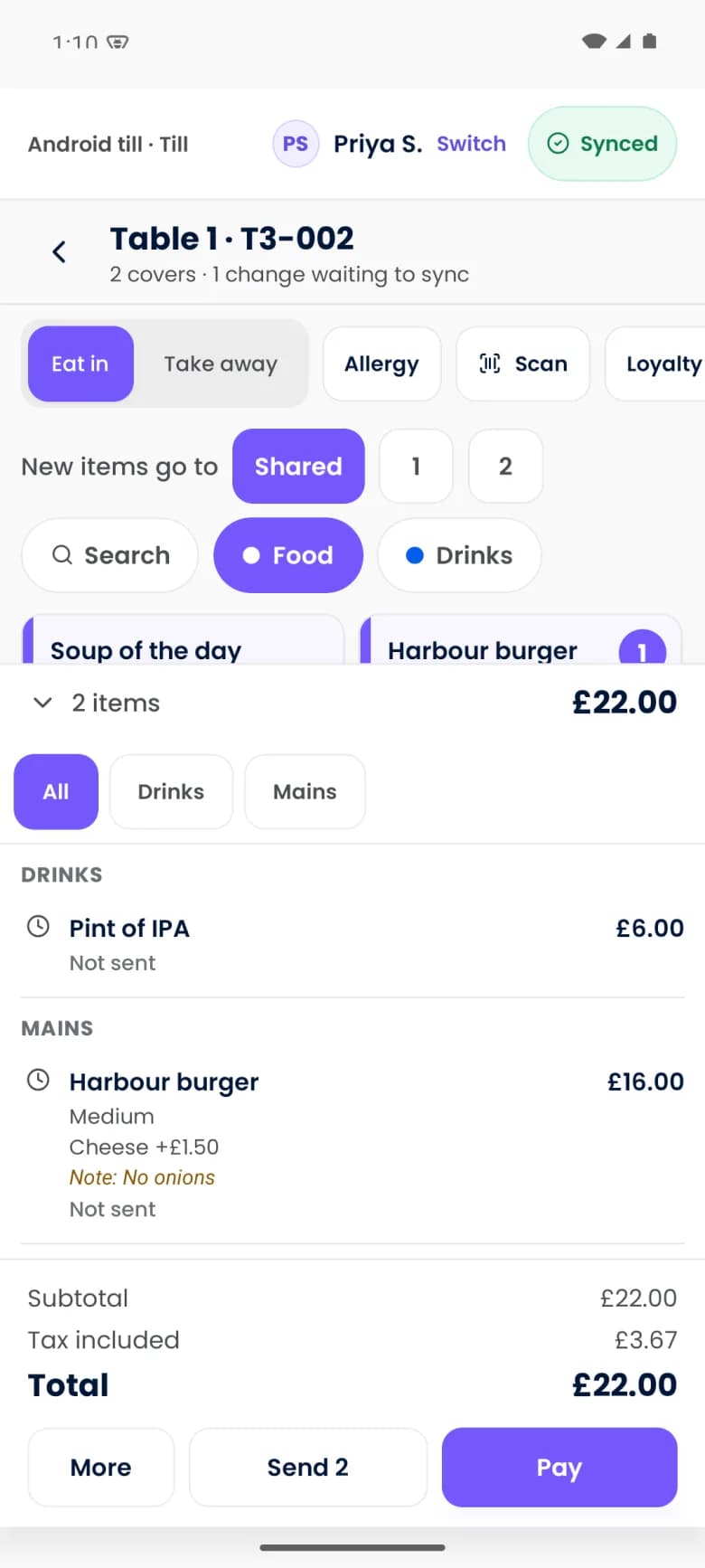
Operate's till connects service with payment. Seat the table, build the order, send it to the kitchen and settle the bill from the device in your hand or a shared till.
Screens show Purple Operate with a demonstration business and sample data.
The working day
Service slows down wherever the till is fixed
Orders are entered twice
Written at the table, then keyed in at a terminal while the guest waits.
The terminal is a queue
Staff wait for a free till or card machine at the busiest moment of the shift.
Bills get complicated
Splitting by seat, moving a tab or mixing cash and card turns into a workaround.
The order
Take the order where the guest is
Floor-plan and list-based selling match table service, bar and counter work.
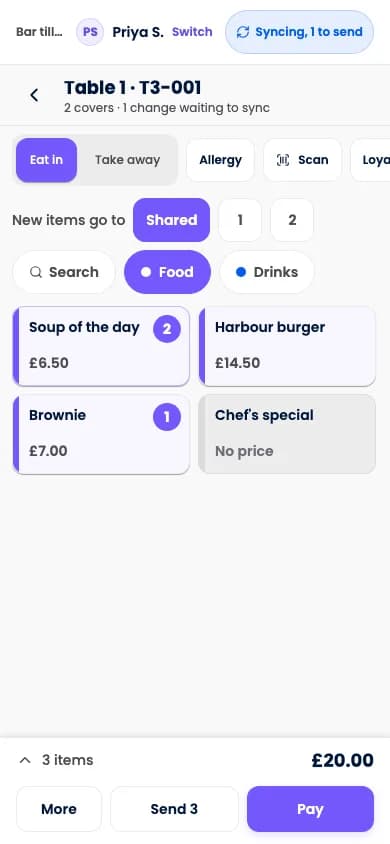
- Tables, tabs, seats and coursesThe structure of the guest's order is kept, for clearer handoffs and bills.
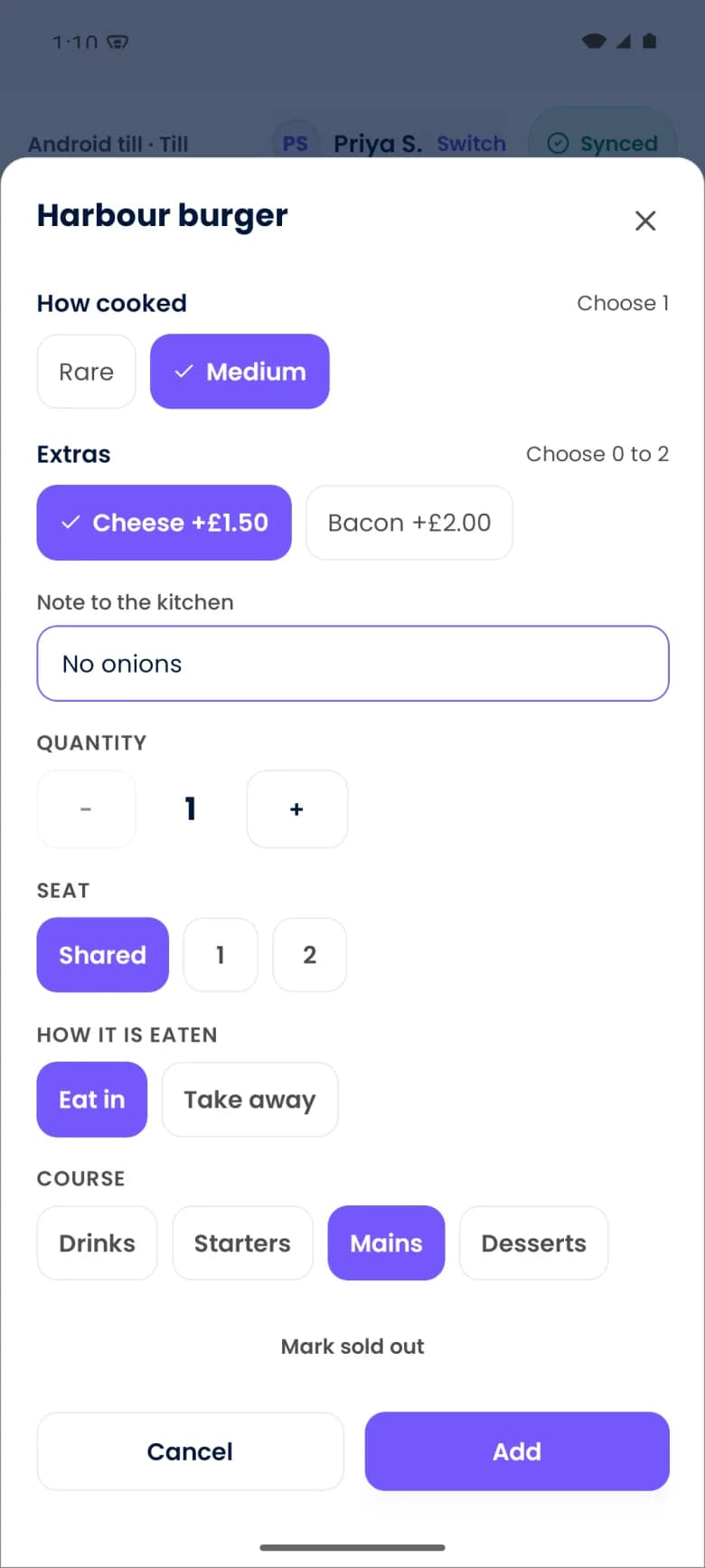
- Modifiers and kitchen notesWhat the guest asked for is captured once and travels with the order.
- Hold and fireYou control when each course moves to preparation.
On compatible phones, Tap to Pay brings payment into the same device. Supported hardware, operating system, country and payment provider setup apply.
The kitchen
Send work to the right station and see it move
Kitchen displays route each ticket to its preparation area and show progress.
- Station routingTickets go to the station that prepares them, for a more organised queue.
- Timers, bump and recallTicket progress is visible, so bottlenecks show up during service.
- One order, start to finishThe same order runs from the table to the pass to the bill.
Resilience
Keep supported till work moving when the connection drops
Device workflows record supported events locally and synchronise when connectivity returns.
- Recorded on the deviceA sale taken during a connection problem waits in a visible queue.
- Synchronised on returnQueued events send when the connection is back, with clear order ownership.
- A recovery trailReconciliation rules show what was taken where.
Online booking, live coordination, AI, messaging and external services need connectivity.
In scope
Till, payments and service
The scope of the till. Devices, card readers and markets are confirmed for your venue before you rely on them.
- Bill splits, transfers and merges
- Handle how groups and tables behave, with less friction at checkout.
- Discounts, voids and approval thresholds
- Adjustments are recorded with reasons and permissions.
- Tap to Pay and connected readers
- Take payment inside the service workflow.
- Cash, gift cards and mixed tenders
- Settle a bill the way the guest wants to pay.
- Digital and printed receipts
- Receipts through supported channels.
- Retail scanning and returns
- Product sales sit in the same flow as services.
- House accounts and room charges
- Route eligible spend to an account or a stay.
- Payout and dispute visibility
- Understand processor events and issues.
- Cash-up and end-of-day reports
- Reconcile takings, variances and trading days.
Good to know
What applies to the till
- Tap to Pay needs a supported phone, operating system, country and payment provider configuration. It does not accept every card on every phone.
- Supported till work is recorded locally and synchronised when the connection returns. Offline card acceptance is a separate provider and device capability with its own limits and risk.
- Staff use of personal phones is optional and subject to venue policy.
- Printers, readers and shared devices may still be useful or necessary for how your venue serves.
Questions
Questions about the till
Can a phone be the till?
Yes, that is the own-phone model: seating, ordering, kitchen handoff, bill splitting and, on compatible phones, Tap to Pay. Shared tills, readers and kitchen screens can run alongside in a mixed fleet.
What happens if the connection drops?
Supported till work is recorded on the device and synchronised when connectivity returns, with clear order ownership and reconciliation rules. Taking card payments offline depends on your provider and device and has its own limits.
Can I split a bill by seat or by item?
Yes. Splits, transfers and merges are part of the checkout flow, along with cash, gift cards and mixed tenders.
Who pays out my card takings?
Stripe. Payments are processed on your business's connected Stripe account, and Stripe pays your business under its account terms.
More of the working day
Bookings and scheduling
A diary that checks people, spaces and equipment together.Guest ordering and events
Order and pay, collection, vouchers, tickets and private hire.Staff and rotas
Build the shift around demand. Give your team a clearer day.
See your own working day in Purple Operate
Tell us what you run and what you use today, and the Purple team shows you Purple Operate on a venue like yours.