
Core Operate
Bookings, the till, staff, stock and reporting, paid for by one fee on each card payment.
- 1.9% + 15p for each card payment in person
- 2.9% + 30p for each card payment online
- No software subscription and no till to buy
Bring bookings, sales, staff and stock together with Purple Operate. Manage the day from phone, tablet or web, and choose an AI team to help with the work that keeps coming back.
Screens show Purple Operate with a demonstration business and sample data.
The working day
A booking changes the staffing you need. A busy service changes the stock you have left. A sale changes what you know about a guest. Too often the manager is the only thing connecting them.
Booking changes arrive by phone, web and walk-in, and someone re-keys them into the plan for the shift.
Orders are taken at the table, walked to a terminal and entered again before the kitchen sees them.
Staffing is set before anyone has looked at the bookings, then patched by message when the week changes.
Counts, deliveries and waste are written down after the fact, so margin surprises turn up at month end.
One operating picture
Operate is built around a shared operational model, so the diary informs the shift, the shift informs staffing and purchasing, and payments inform what you know about the visit.
Your industry
Guests and covers in a restaurant. Clients and stylists in a salon. Rooms and stays in a hotel. Operate adapts its vocabulary, navigation and defaults to what you run, and packs can be combined for mixed venues.
Bring the diary, the floor and the kitchen into the same shift.
Coordinate the appointment around the practitioner and the patient.
One operating picture, across every part of the business.
Mobile service
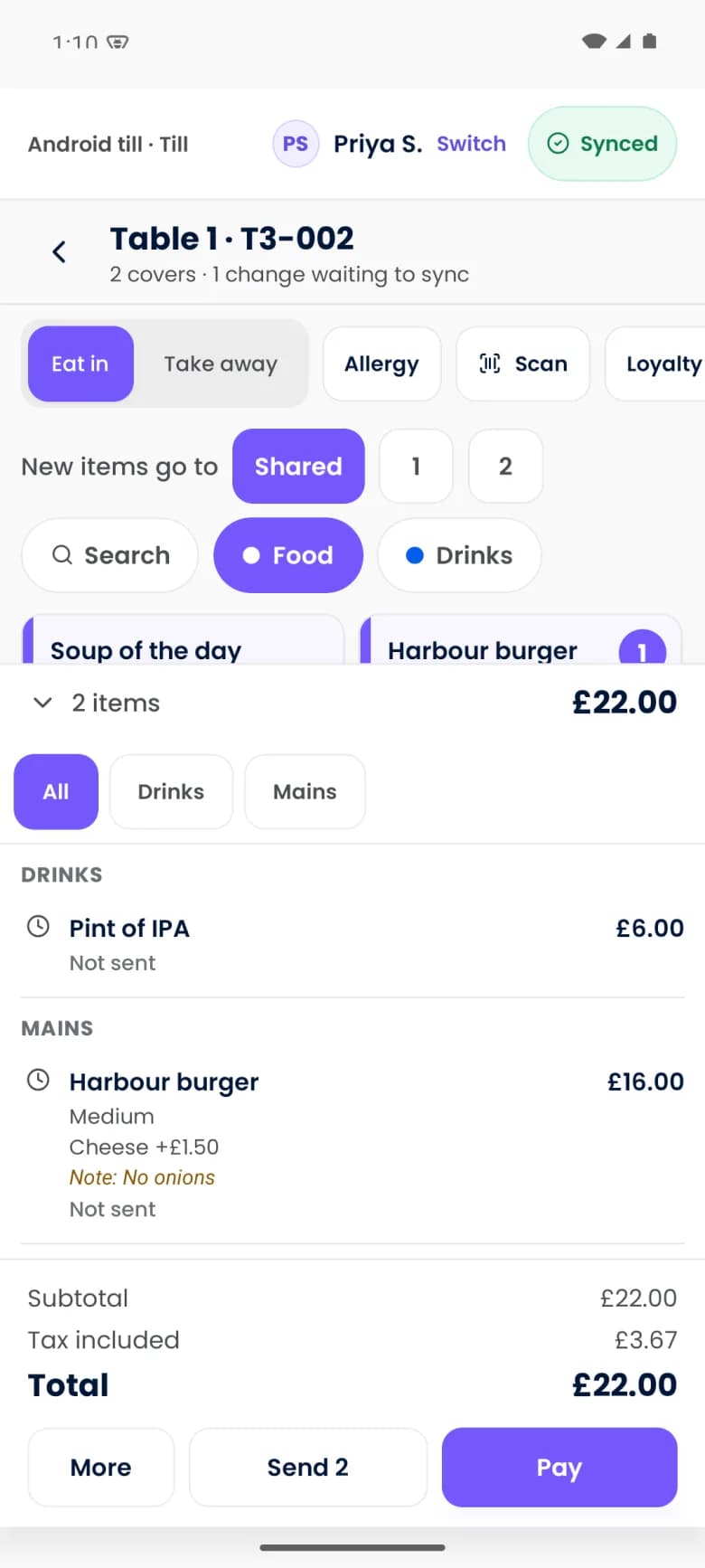
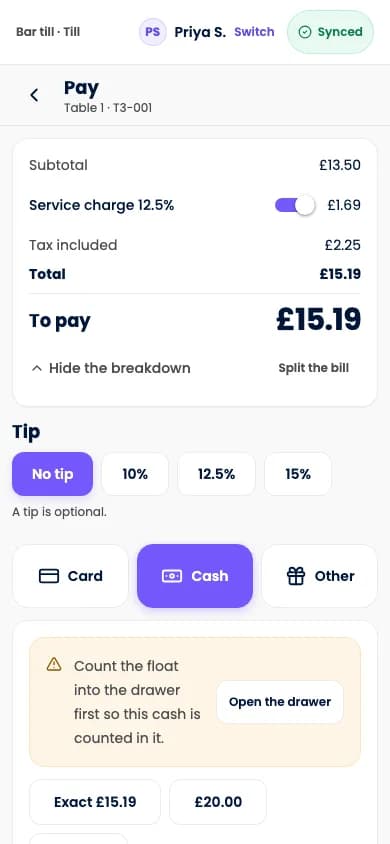
The phone in a staff member's hand can seat a table, build the order, send it to the kitchen, split the bill and, on compatible phones, take payment with Tap to Pay.
Tap to Pay depends on supported phones, operating system, country and payment provider setup. Staff use of personal phones is optional and follows venue policy. Shared tills, readers and printers can run alongside.
Optional AI team
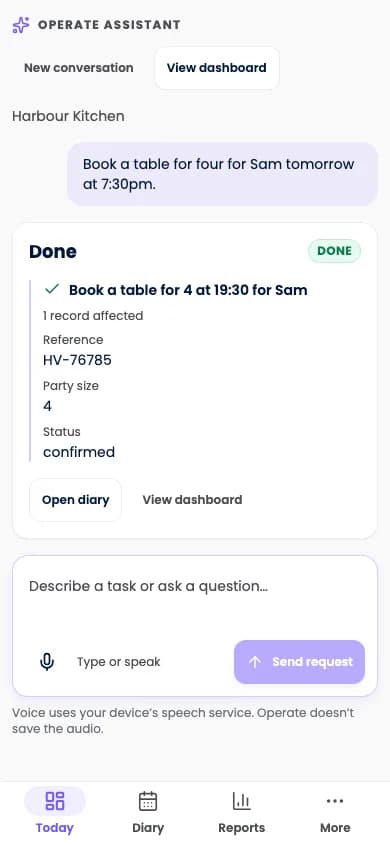
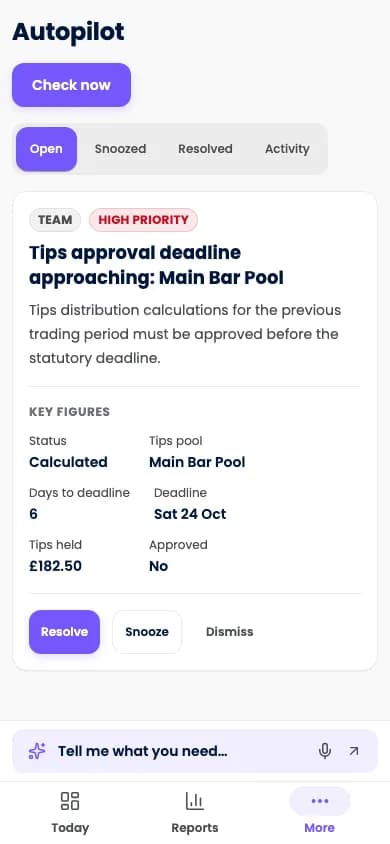
Put a Receptionist, a Rota manager or a Buyer to work within a defined role. Review drafts, approve the actions that matter and keep spending within a monthly credit limit.
Hiring AI jobs is optional and uses credits. Core screens work without an AI team. People keep control of money, staff decisions and customer contact.
Works with Purple
Connect Operate with Purple Engage and Purple WiFi to bring permitted booking, visit and purchase context into the guest relationship.
Engage and Purple WiFi are separate products with their own entitlements. A booking does not grant marketing consent.
Commercial model
See the cost of running the whole operation, not one line of it.
Core Operate
Bookings, the till, staff, stock and reporting, paid for by one fee on each card payment.
Optional AI team
Hire the jobs you want. Each one uses credits, with a monthly ceiling you set.
Switching
Bring your supported records, inspect the dry run and resolve conflicts before approving the import.
Questions
Purple Operate is a connected venue operating platform. It covers bookings and appointments, the till and payments, kitchen and guest ordering, staff and rotas, stock and purchasing, and reporting, on phone, tablet and web, with an optional AI team that works within limits you set.
Restaurants, bars, pubs and cafes first, then salons, barbers and spas. Hotels, leisure venues and clinics have their own pages, and what we can offer each one follows its own release readiness, which we confirm for your venue in a demo.
Not necessarily. Operate is designed so a compatible phone can take the order and the payment, which can reduce the dedicated hardware a venue needs. Supported devices, your country and your payment setup apply, and printers, readers or shared tills may still suit how you serve.
Supported till work is recorded on the device and synchronised when the connection returns. Online booking, live coordination across devices, AI, messaging and external services need connectivity, and taking card payments offline is a separate provider and device capability with its own limits.
No. Hiring AI jobs is optional. The core screens are fully usable without an AI team, and each job you do hire starts in shadow mode.
They are separate Purple products with their own entitlements. Operate connects to them: Engage owns CRM, consent and campaigns, and Purple WiFi provides visit signals where it is installed.
Core Operate is paid for by a card fee alone: 1.9% + 15p for each payment in person and 2.9% + 30p online, with no software subscription. Optional AI jobs are charged by usage in credits, within a monthly limit you control.
Tell us what you run and what you use today, and the Purple team shows you Purple Operate on a venue like yours.